On-premises AI

Your own AI,
in your own building

A single appliance that runs the models, the applications and the data — on your network, with no internet connection required. Nothing leaves the premises, and there is no meter running.

NVIDIA DGX Spark · 128 GB Open-source stack LAN only
The ITUTI private AI appliance: a compact desktop AI server

Why a box

Two problems the cloud does not solve

For organisations holding genuinely sensitive data, sending it to someone else's infrastructure is either prohibited or a hard conversation. And for everyone, per-token pricing makes the bill a function of how useful the system becomes.

The data never leaves

Patient records, case files, HR data, legal documents — the appliance processes them where they already live. No third-party processor, no cross-border transfer, no vendor retention policy to negotiate, and no question about whether your data trained someone's next model.

It makes the data-protection conversation dramatically shorter, because the honest answer to “where does it go?” is “nowhere”.

The cost stops moving

Inference runs on hardware you own, so usage is free at the margin. The cost is capital expenditure plus power and support — a number you can put in a budget and defend, rather than a monthly invoice that grows every time adoption improves.

It also removes the quiet tax on experimentation: nobody hesitates to try something because of what the tokens will cost.

The hardware

Built on NVIDIA DGX Spark

DGX Spark puts data-centre class AI compute into a unit that sits on a desk and runs from a standard wall socket. Its 128 GB of unified memory is the important number: it is what allows genuinely capable open-weight models to be held in memory and served responsively to a whole practice or office, rather than the small models a workstation GPU is limited to.

We have one in-house. That means we can build and test your configuration on real hardware before anything is quoted, and demonstrate it to your team on a box we can carry in.

At a glance

Processor
NVIDIA GB10 Grace Blackwell Superchip
Unified memory
128 GB, shared between CPU and GPU
Form factor
Desktop unit, standard mains power
Networking
High-speed networking; two units can be linked for larger models
Deployment
Sits on your LAN; no internet connection required
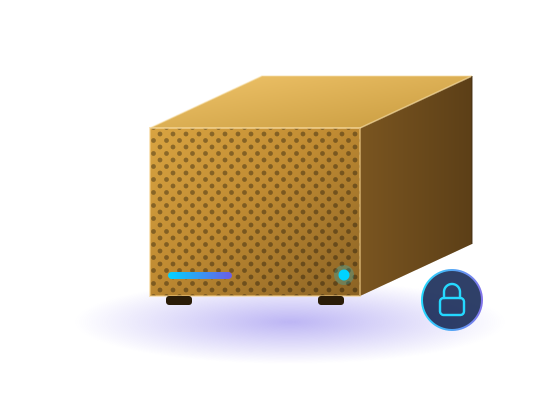
The appliance in three-quarter view

The appliance, configured and supported by ITUTI Tech.

The stack

What runs on the box

Proven open-source components, integrated and supported as one system. No licence per seat, no vendor lock-in, and every piece replaceable if something better comes along.

Models

Local model serving

Open-weight models — Llama, Mistral, Qwen, Gemma and others — served locally with an OpenAI-compatible API, so your own tools can point at the box instead of the internet.

Typically Ollama or vLLM, with Open WebUI as the chat front end.

Meetings

Transcription & meeting notes

Record a consultation or a meeting, transcribe it on the box, and get a structured summary with actions. The audio never goes near a cloud transcription service.

Whisper-family speech recognition with local summarisation.

Documents

E-signature

Send, sign and store documents with a full audit trail — the DocuSign workflow, self-hosted, with the signed documents staying on your own storage.

Documenso, DocuSeal or OpenSign, depending on your requirements.

Planning

Boards & task management

Kanban boards, task lists and team planning in the Trello mould, running on the same appliance and visible only inside the practice.

Planka, Focalboard, Wekan or Vikunja.

Knowledge

Knowledge graph & RAG

Your protocols, policies, guidelines and correspondence indexed into a vector store and a knowledge graph, so answers cite the actual source document rather than guessing.

Qdrant or Chroma for retrieval, Neo4j for the graph, LlamaIndex to tie it together.

Assistants

Practice assistants

Assistants grounded in your own documents that draft referral and discharge letters, summarise correspondence, answer policy questions and handle the administrative load around a consultation.

Built on the local models and your own knowledge base.

Records

Document management

Scan, OCR, classify and search incoming paper and PDFs, turning the filing cabinet into something searchable without shipping it anywhere.

Paperless-ngx with local OCR.

IT support

Service desk & asset register

Ticketing, asset inventory and a knowledge base for your own IT support, with an assistant that answers from your documented procedures. Your support data and your code stay on site.

GLPI, Zammad or Snipe-IT, with a local assistant on top.

Access

Identity & audit

Single sign-on, role-based access and audit logging across every application on the box, so you can evidence who saw what and when.

Keycloak or Authentik, with centralised logging.
Network posture

Local by default, not by configuration

The appliance is designed to work with no route to the internet at all. Devices reach it over your LAN; it reaches nothing. There is no telemetry, no licence check phoning home, and no background sync that someone has to remember to disable.

Updates — models, application versions, security patches — are staged and applied deliberately by us, on a schedule you agree, rather than pulled automatically from the internet.

  • ✓ Clinical devices on the LAN
    Desktops, laptops and tablets connect over the local network only.
  • ✓ No outbound connections
    Nothing on the box initiates a connection off the premises.
  • ✓ Controlled update path
    Patches and model updates staged and applied on an agreed schedule.
  • ✓ Encrypted storage and backup
    Data at rest encrypted, with a backup route that stays on your estate.
  • ✓ Full audit trail
    Every access logged locally for your own review and assurance.

Primary care

Built with GP practices in mind

Patient data is about as sensitive as data gets, and primary care has neither the budget nor the appetite for an open-ended cloud bill. A box on the premises answers both, but only if it is deployed in a way your governance can actually stand behind.

Where it helps day to day

  • → Drafting referral, discharge and insurance letters from consultation notes
  • → Summarising incoming correspondence and long patient histories
  • → Answering “what is our protocol for…” from the practice's own documents
  • → Transcribing and structuring meeting and MDT notes
  • → Turning scanned paper records into something searchable
  • → Practice administration — rotas, tasks, policies, e-signature

What we help you evidence

  • → DPIA — a data protection impact assessment for the deployment
  • → UK GDPR & DPA 2018 — lawful basis, minimisation, retention, access control
  • → Caldicott Principles — justified purpose and need-to-know, documented
  • → DSPT — artefacts that support your Data Security and Protection Toolkit return
  • → DTAC — the assessment criteria NHS buyers apply to digital technology
  • → Clinical safety — DCB0129/DCB0160 documentation, with a Clinical Safety Officer

Where we draw the line

The appliance is deployed for administrative and documentation support: drafting, summarising, searching and organising. It is not a diagnostic tool, it does not provide clinical decision support, and it is not supplied as a medical device.

Software intended to inform clinical decisions can fall within UK medical device regulation, which brings obligations neither of us should stumble into by accident. If a use case starts moving in that direction we will say so early, and scope it properly with your clinical safety officer and the MHRA route that applies — rather than quietly shipping it.

Deployment

How a box gets from us to you

1

Demonstration

We bring the appliance to you and run it against realistic material, so the team can judge it rather than imagine it.

2

Scope & assurance

We agree the applications and use cases, then produce the DPIA and governance documentation alongside the technical build.

3

Build & install

The unit is configured and tested in our workshop, then installed on your network, integrated with your identity and backup.

4

Train & support

Training for the people who will use it, then an ongoing support agreement covering updates, monitoring and hardware cover.

Frequently asked questions

See it running on your own material

We will bring the appliance to you, load it with documents you care about, and let your team judge whether it earns its place. No connection to anything required.

Book a demonstration